> ## Documentation Index
> Fetch the complete documentation index at: https://www.ayrshare.com/docs/llms.txt
> Use this file to discover all available pages before exploring further.
# Business Plan Overview
> Ayrshare Business Plan for managing multiple users, clients, or brands
The [Business Plan](https://www.ayrshare.com/business-plan-for-multiple-users/) enables organizations such as companies, agencies, and platforms to manage social media activities including posting, scheduling, analytics, and comment management across multiple users, clients, or brands from a single API integration.
Ayrshare is API-first. You build your own front end and call the API to post, fetch analytics, and manage comments on behalf of your users. Your customers connect their own social accounts through a **white-labeled connect page** that you open with a [JWT URL](/multiple-users/api-integration-business#single-sign-on-with-jwt-authentication) — they never log in to Ayrshare and never see your dashboard.
**The dashboard is for your internal team only.** On the Launch, Business, and
Enterprise plans, the [Ayrshare dashboard](/multiple-users/manage-user-profiles#using-the-dashboard)
is where *your team* creates and manages [User Profiles](/multiple-users/manage-user-profiles),
tests integrations, and posts on a client's behalf. Your customers should
**always** be onboarded through the [JWT URL connect page](/multiple-users/api-integration-business#single-sign-on-with-jwt-authentication) —
never give clients dashboard access, as it exposes your account, billing, and
every other profile. (On the single-user Premium plan, you use the dashboard
directly yourself.)
Just getting started with multi-user social? The
[Launch Plan](/multiple-users/business-launch-overview) is the
entry-level Business tier with the same API surface, capped at 10 User Profiles,
and a 28-day free trial.
Get more details about the Business Plan by [contacting us](https://www.ayrshare.com/business-plan-for-multiple-users/#contactbusiness).
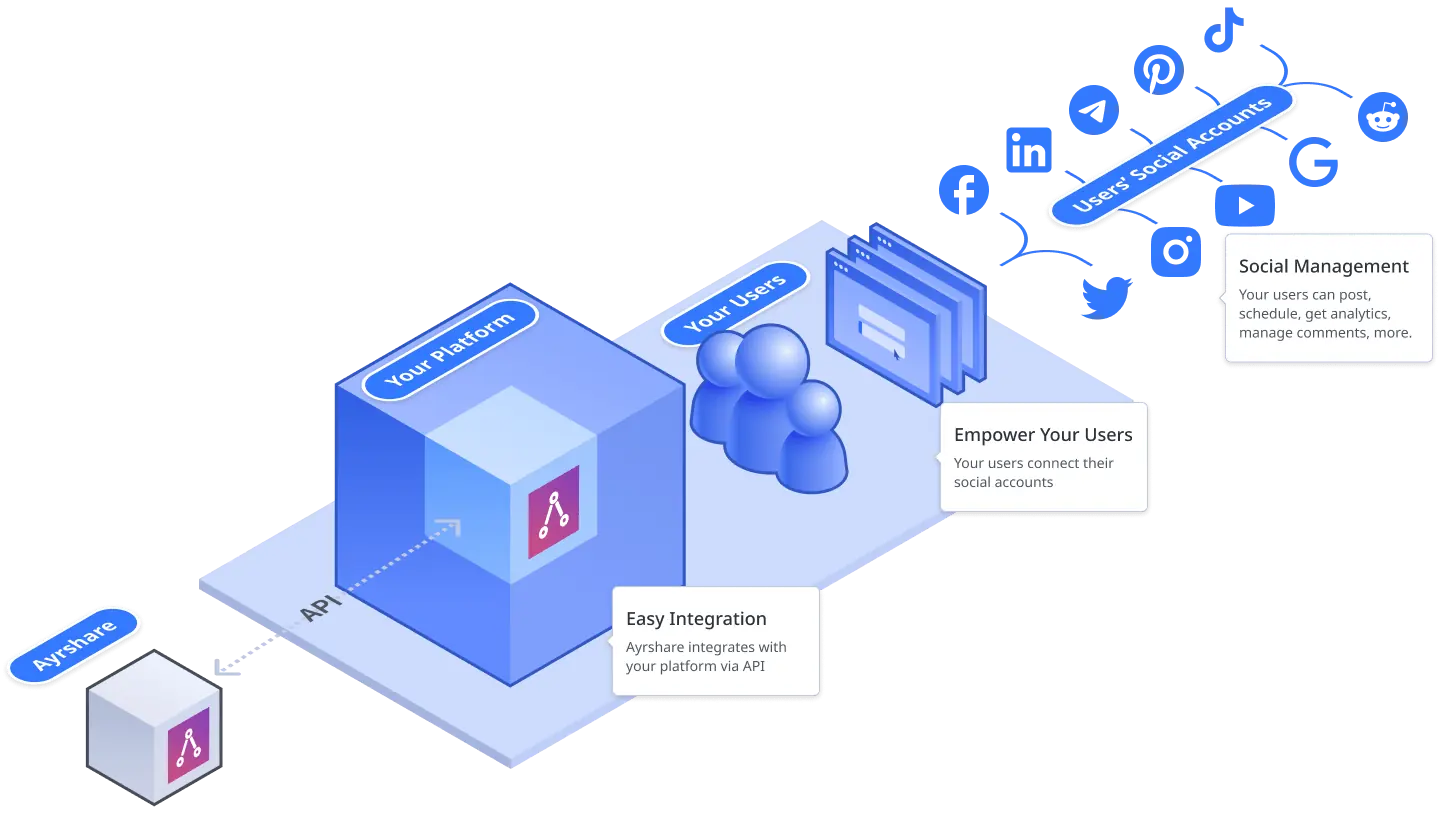 ## Post, Get Analytics, Manage Comments and DMs, and Create Facebook Ads on Behalf of Your Users
-
A single API call to post to your users' [social media networks](/apis/post/overview): Bluesky,
Facebook, Google Business Profile (Google My Business), Instagram, LinkedIn, Pinterest,
Reddit, Snapchat, Telegram, Threads, TikTok, X, and YouTube.
-
[Send scheduled posts](/apis/post/overview#schedule-posts) of text, images, and videos or
[create an auto schedule](/apis/auto-schedule/overview) to post at pre-determined times.
-
Get [detailed analytics](/apis/analytics/overview) on your user's posts, social profile, and
links. E.g. number of impressions, follower demographics, average view time of videos, and more.
-
[Add comments](/apis/comments/overview) to a user's post or get all comments made by other
users.
- [Manage direct messages](/apis/messages/overview) across supported platforms.
- [Create Facebook ads](/apis/ads/overview) from existing posts.
-
Automatically [add hashtags](/apis/hashtags/overview) to posts based on the content, and
automatically post your users' [RSS feeds](/apis/feeds/overview).
-
[Validate posts](/apis/validate/overview) before sending to the social networks so your users'
social accounts are always protected and don't get in trouble with the social networks.
-
Retrieve a user's [post history](/apis/history/overview), [analytics](/apis/analytics/overview),
and [comments](/apis/comments/overview), even on posts that originated outside of Ayrshare.
## Seamlessly Integrate with Your Product or Platform
- Simple and transparent integration for your users, clients, and brand.
-
Make RESTful API calls, or use the Node.js, Python, Bubble.io, or Airtable [packages and
integrations](/packages-guides/overview).
-
Enterprise grade security and secure social authentication where you never ask for your users'
credentials.
- Staging environment add-on available for your build workflow.
## White-Label the Connect Accounts Page
The connect accounts page is the only Ayrshare interface your customers ever see, so make it your own. Add your logo, set custom headers, choose which social networks appear, localize the language, and swap in your own help links — and with the [Max Pack](/additional/maxpack), apply a full custom CSS file, favicon, page title, and footer. Done well, the connect page feels like a native part of your product, not a third-party tool.
See every branding and customization option available for the connect page.
## Additional Capabilities Available with Max Pack
The [Max Pack](/additional/maxpack) provides additional endpoints and other useful utilities for building your app or platform.